

Why AFKast is a strong IPTV app for iPhone
Search the App Store for an IPTV app and you will find plenty of options. Some are bare-bones players that simply open a stream URL; others dump thousands of channels into one endless list. AFKast is an IPTV player built for iPhone and iPad: you add the M3U link or Xtream Codes login from your own legal IPTV provider, and the app turns it into a tidy library of live TV, movies and series.
Three things decide whether IPTV feels good on a phone: a stable playback engine, a well-organized interface, and how easily you can move between devices. AFKast focuses on all three:
- mpv-based engine: Hardware-accelerated decoding handles H.264, H.265/HEVC and AV1. On compatible iPhone and iPad models you get 4K, HDR10, HLG and Dolby Vision.
- Organized library: Live TV, movies and series live in separate sections. Movies and series are enriched with posters, plots, ratings and cast.
- EPG (XMLTV) program guide: If your provider offers an EPG URL, you can see what is on now and next right from the channel list.
- Auto Failover: If your playlist includes a backup source for a channel, AFKast switches to it automatically when the main source stops responding.
- Multiple profiles: Create separate profiles for everyone in the household so favorites and watch history stay separate.
Want the full picture across every platform? Visit our IPTV player overview.
Install from the App Store and add an M3U or Xtream playlist
Getting AFKast onto an iPhone or iPad takes a few minutes. No jailbreak, configuration profiles or third-party stores are needed — the app comes straight from the App Store.
- Download: Open the App Store, search for "AFKast" and install it for free.
- Sign in: Create an AFKast account or sign in with an existing one. Cloud sync and your Pro membership are tied to this account.
- Add your playlist: Choose one of three methods — paste an M3U/M3U8 link, pick an M3U file from the Files app, or enter your Xtream Codes server URL, username and password.
- Check the EPG: With Xtream Codes the guide usually loads automatically; with M3U you can add the XMLTV URL your provider gives you.
On iPhone, copy and paste is the easiest way in: copy the link from your provider's email or message and paste it into the right field. Not sure which method suits you? Our Xtream Codes vs M3U comparison explains the differences, and the step-by-step guide on how to add an M3U IPTV playlist walks you through every screen.
IPTV on iPad: big screen and Picture-in-Picture
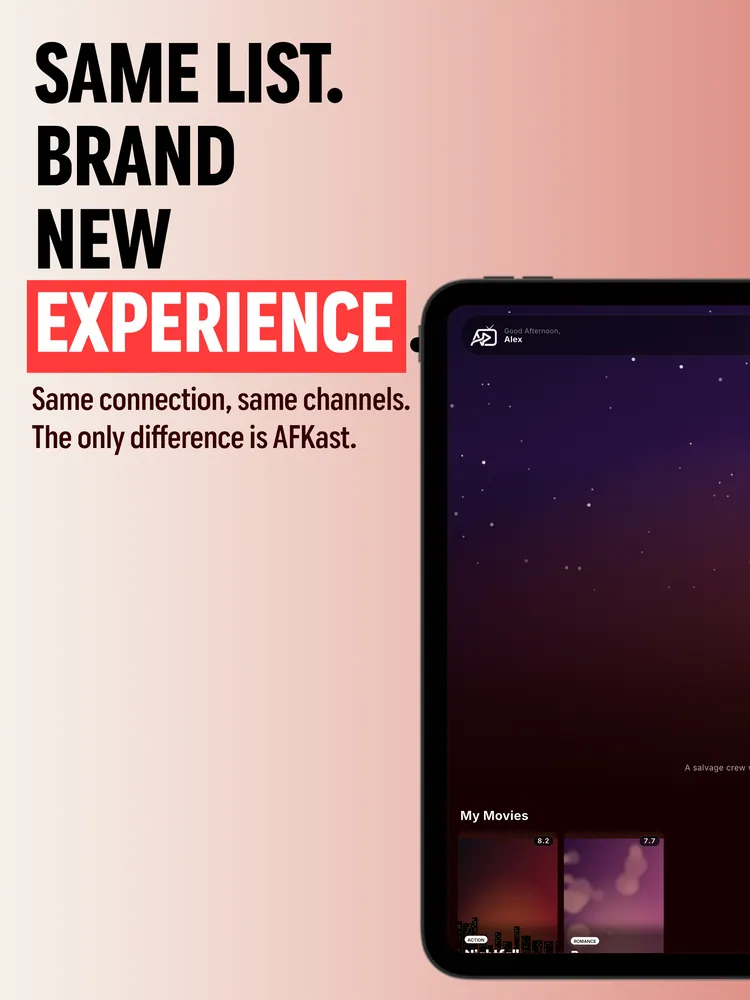
The iPad's larger display is a great fit for IPTV. Moving between the channel list, the EPG guide and the poster-based movie and series library feels natural, and reading the program guide or scrolling long episode lists in landscape is far more comfortable than on a phone.
With Pro, Picture-in-Picture keeps the stream in a small floating window you can move around. While multitasking on iPad you can browse in Safari, take notes or answer messages while the match or the news keeps playing in the corner. It works on iPhone too: switch to another app and the stream carries on in the mini window instead of stopping.
Chromecast, offline downloads and AFKast cloud sync
Chromecast: If your TV has Chromecast built in, or you have a Chromecast or Google TV device plugged in, you can send the stream from AFKast on your iPhone to the big screen in one tap. This is available on the free plan as well.
Offline downloads (Pro): Download movies and episodes from your library and watch them without an internet connection. For series, a single tap can download an entire season — handy on flights or anywhere the signal is weak.
Cloud sync: AFKast uses its own cloud sync rather than iCloud. Your watch history, favorites and settings are saved to your AFKast account, so a channel you favorite on iPhone also shows up on your iPad and Mac. The free plan syncs across 2 devices, Pro across up to 6. Because sync is account-based, the same data also appears on your Android or Windows devices.
Free IPTV player for iPhone, or Pro?
You can use AFKast for free, and the free plan covers everything you need for basic IPTV viewing. Pro removes ads and unlocks extras that matter on mobile:
| Feature | Free | Pro |
|---|---|---|
| Ads | Ad-supported | Ad-free |
| Playlists | 1 | Unlimited |
| Synced devices | 2 devices | Up to 6 |
| EPG, multiple profiles, Chromecast | ✓ | ✓ |
| Content enrichment (posters, plots, ratings) | ✓ | ✓ |
| Picture-in-Picture | — | ✓ |
| Offline downloads (whole season) | — | ✓ |
| Parental controls (PIN), custom groups, hiding categories | — | ✓ |
Pro is purchased in the app through the App Store: Pro Yearly $11.99/year or Pro Lifetime $29.99 as a one-time payment. Pro bought on one account works on every device you sign in to with that account. See AFKast Pro pricing for details.
Same account on Mac, Apple TV coming soon
If you live in the Apple ecosystem, AFKast also runs on Mac. The Mac App Store version supports Apple Silicon and Intel Macs on macOS 14.6 or later. Sign in with the same account you use on iPhone and your playlists, favorites and Pro membership are ready to go. Learn more on our IPTV player for Mac page.
An Apple TV (tvOS) app is coming soon. Until then you can watch on your TV with Chromecast. We cover the options in our Apple TV IPTV setup guide. And if you want a broader comparison of iOS apps, read the best IPTV player for iPhone and iPad in 2026.